Black Friday product photography: a CGI campaign checklist
Plan Black Friday product imagery with a practical shot list, CGI and photography choices, mobile crops, Shopping image checks and an approval checklist.
In this article
A Black Friday banner can look finished until someone asks for the same composition on a phone. The product gets cropped, the offer covers the label, and the team discovers that its one approved image cannot support the campaign.
Plan Black Friday product photography as a set of deliverables, whether the product comes from a camera, a 3D scene or a combination of both. Start with the actual products and placements, approve one visual direction, then build the variations around it. Keep clean product images separate from promotional artwork.
Why plan Black Friday product imagery now?
We checked Google Trends for “Black Friday” on 10 November 2026, using Worldwide, Past 90 days, All categories and Web Search. The displayed daily interest index rose from 12 on 1 October to 94 on 9 November, with a window peak of 100 on 6 November. That is a clear increase in relative search interest as the shopping period approaches.
These are normalized values, not search counts, sales or proof of demand for CGI services. Google explains how Trends samples and scales its data. The signal supports a timely seasonal topic; it does not establish search volume for every phrase in this article or predict campaign performance.
For a brand preparing Black Friday marketing assets, the useful question is what can still be produced, approved and delivered reliably. An existing approved model or photograph may be a better starting point than a completely new visual direction close to launch.
Build the shot list around products and placements
Before choosing a set or background, make a delivery list. Give each asset a product or SKU, a placement, a required shape, an owner and an approval status. Record which items are sold together rather than leaving the artist to infer a bundle from a mood board.
A workable Black Friday creative brief might include:
- A campaign hero. One composition that introduces the offer or collection, with a deliberate area for copy.
- Clean product images. Separate views of each item or exact bundle for product pages and eligible shopping placements.
- A useful detail view. Show a material, closure, texture or included component that a buyer may need to inspect.
- Mobile compositions. Reframe the product and copy for the actual vertical and square placements, rather than exporting the wide image at different dimensions.
- Email and website assets. Agree where live text, buttons and offer terms will sit before rendering the background.
- Motion, if needed. Define the opening frame, action, final hold and delivery formats before commissioning a product animation.
This is a suggested production list, not a requirement to buy every asset. If time is short, prioritize the clean product source and the placements the campaign will actually use. Our product CGI brief provides a starting worksheet.
Choose CGI, photography or a controlled hybrid
Use product photography when the sample is ready
Photography is a practical choice when the finished product is available, the packaging is final and the team can capture the views it needs. It also gives you a direct reference for surfaces that need careful judgment, such as a fabric weave or the appearance of a real cream.
Allow time for sample preparation, cleaning, retouching and any reshoot. A late label change still needs attention even if the original photograph looks good.
Use CGI when repeatable views matter
CGI is useful when you need controlled camera angles, repeated lighting or several approved packaging variants. An existing accurate 3D asset can support a coordinated family of images. Starting from an unprepared CAD file, however, involves modeling cleanup, materials and artwork setup before final rendering.
Do not assume CGI is automatically faster or cheaper. The state of the source assets and the number of revisions affect the work. See our CGI versus product photography comparison and product rendering cost guide for the decisions behind the quote.
Use AI around a product you can verify
AI-generated backgrounds can help explore a seasonal setting, but a plausible bottle is not necessarily the bottle being sold. Keep an approved photograph or render as the product source, then check the composite for changed proportions, labels, reflections and misleading accessories.
Our guide to brand consistency in AI product images covers that approval process. Generative tools do not remove the need to review the final image or the applicable platform rules.
Keep Shopping images separate from sale banners
A promotional banner and a product-feed image have different jobs. A banner may need a headline and discount. A primary Shopping image needs to show the item being sold without those promotional overlays.
Google Merchant Center’s image-link guidance prohibits promotional elements such as added calls to action, price or discount text, watermarks and superimposed logos in the primary product image. A logo physically printed on the packaging is different from a logo added over the photograph. The guidance also calls for imagery matching the exact variant and warns against showing products that are not sold together with the main item.
Prepare separate exports:
- A clean product or exact-bundle image for the relevant feed and product-page use.
- A campaign composition prepared for website, email or paid-social artwork, following each placement’s own requirements.
- An editable promotional layout with the offer text kept separate from the product image wherever practical.
Google also requires metadata identifying generative-AI imagery and says not to remove embedded digital-source metadata. If a workflow includes generation, check that the final export preserves the required information. Review the current Merchant Center specification for file dimensions, formats and other requirements before upload; platform specifications can change.
Design mobile crops before approving the hero
A wide composition with the product near one edge may leave no usable vertical crop. Test the actual placement while the scene or layout is still easy to change.
Use a square, a portrait and a wide mockup as a working review set if those formats match the plan. These are composition tests, not universal platform specifications. Obtain the final dimensions and interface-safe areas from the person managing each channel.
In every version, check whether the customer can identify the product, whether the offer remains readable and whether a button or interface element will cover something important. Review the image at its intended display size. Fine packaging type that is readable in a large render may disappear in an email thumbnail.
For a rendered scene, changing the camera can be better than cutting into an existing image. For photography, leave enough room during capture or plan a separate composition. An automated resize cannot recover a missing product edge.
Keep a collection image honest about the offer
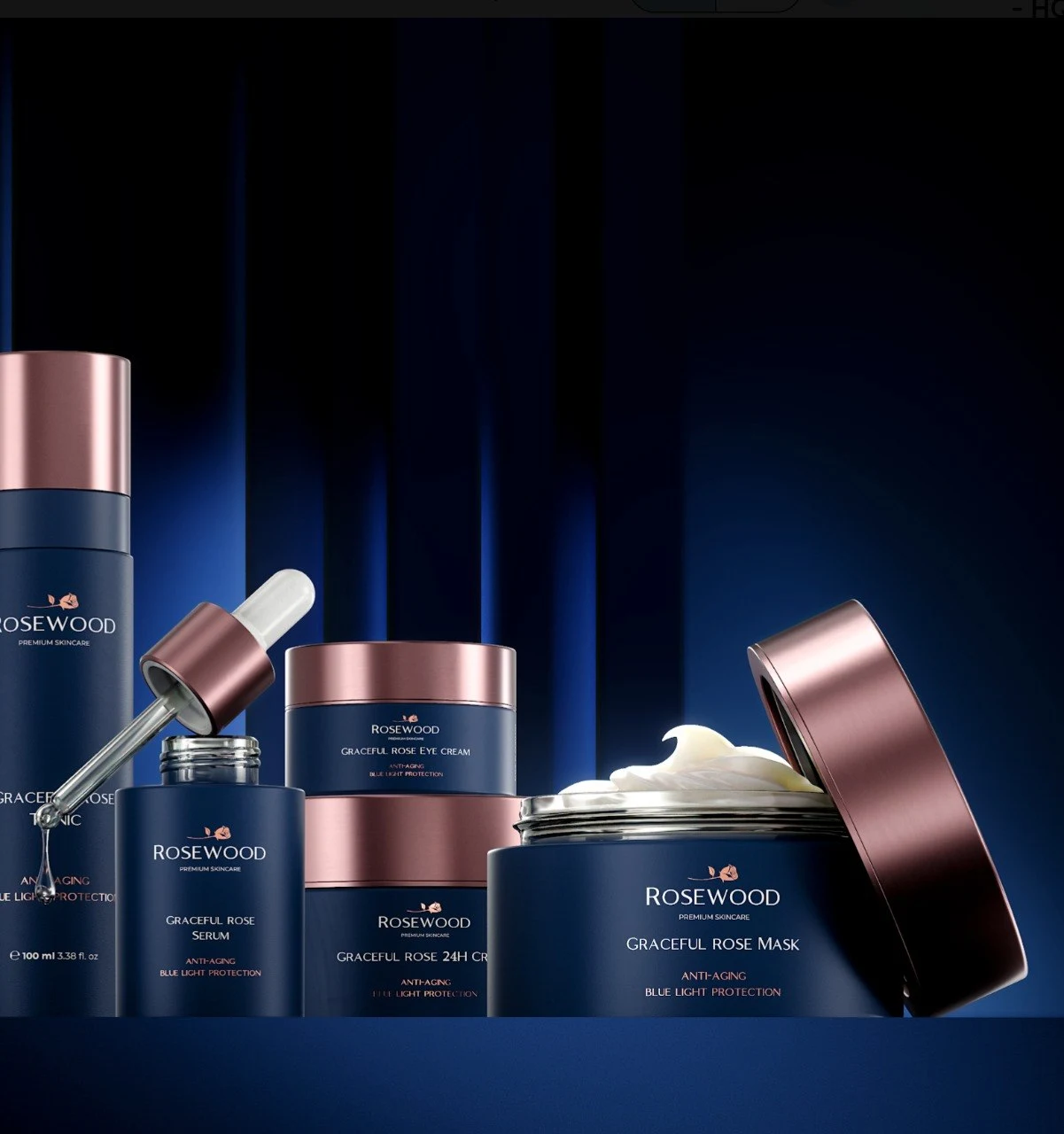
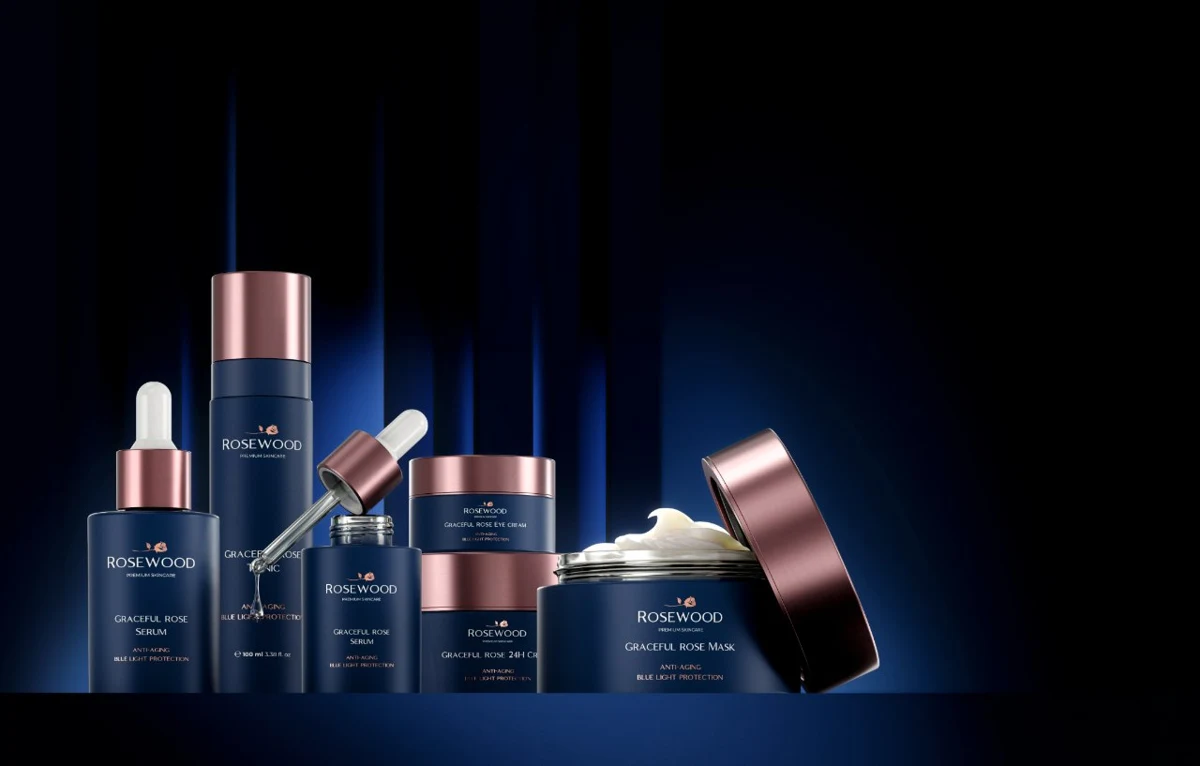
The cover of this article shows our Rosewood skincare visualization: navy containers, rose-gold closures and an open cream jar against blue-lit panels. The coordinated materials connect several product shapes without making them identical.
It is a useful visual reference for a collection hero, not a claim that Rosewood commissioned a Black Friday campaign or that the pictured products form a retail bundle. If you use a collection image in sale creative, make the offer explicit elsewhere in the layout and link it to the correct products. Do not let a group composition imply that every pictured item is included in one purchase.
Apply the same care to packaging variants. A different size, cap or label may distinguish another SKU. Keep the approved product sheet beside the image during review, rather than relying on a general impression that the collection looks consistent.
Work backward from approval and launch
Put review decisions in the schedule, not just rendering time. Agree who approves product accuracy, who approves the campaign design and who checks the offer terms. Give one person responsibility for consolidating feedback so the artist is not reconciling conflicting instructions at the final export stage.
A practical sequence is:
- Confirm the SKU list, packaging artwork, offer and delivery formats.
- Approve a rough composition across the key placements.
- Approve one finished hero and its product details.
- Produce the remaining crops, variants and any motion from that direction.
- Check the exported files in staging, including the mobile page and email preview.
This is a production sequence, not a promised turnaround time. If the launch is close, reduce the scope to what the available assets and reviewers can support. Save a new environment or complicated animation for a brief with enough time to test it. Our product animation briefing guide explains what to settle before motion production begins.
Final Black Friday creative approval checklist
Before release, open the actual delivery files and check:
- The product, colour, size and packaging version match the destination page.
- A pictured bundle contains exactly what the buyer will receive.
- Labels and logos remain accurate after retouching or AI compositing.
- Clean feed images do not contain promotional overlays prohibited by the placement.
- Offer text, currency, dates and terms match the approved promotion.
- Mobile crops preserve the product and leave room for the real interface.
- Files use the requested dimensions, format, colour profile and naming convention.
- Generative-AI metadata and source-permission records remain intact where required.
- The uploaded image loads, the link reaches the correct page and the final version has an approval owner.
Do not turn an old approval into permission for a changed product or discount. Reopen the relevant check when either changes.
Can the same assets work for Cyber Monday?
Often, yes, if the product imagery stays separate from date-specific artwork. Keep a clean master image and editable offer layers so the team can update copy without repainting the product. Recheck the destination, price and terms when the promotion changes.
For holiday ecommerce photography beyond the sale weekend, preserve the approved camera, lighting references and product assets. They can make a later brief easier to define, although a new setting or packaging version still needs its own review.
If you need campaign CGI or product rendering, send Kimagination the SKU list, available assets, placements and launch date. Those details let us recommend a realistic scope before you commit to a visual direction.
Sources and further reading
- Google Trends: Black Friday, Worldwide, Past 90 days, reviewed 10 November 2026. This rolling report changes over time; the dated observations above record the selection context.
- Google Trends: how the data is sampled and normalized.
- Google Merchant Center: image link requirements, including promotional overlays, variant accuracy and AI-image metadata, reviewed 10 November 2026.
- Kimagination’s Rosewood project, the source of this article’s cover and collection-imagery example.
Free production resources
Put it into practice.
A useful next step, without an email gate. Read the guide or download an editable Markdown worksheet.
Product CGI brief template
A practical starting brief for a product render, launch campaign or short film. Make the decisions that affect scope before production begins.
From insight to practice
Explore the work
Need product visuals for a real project?
Show us what you have and what the images need to accomplish.
Discuss your project